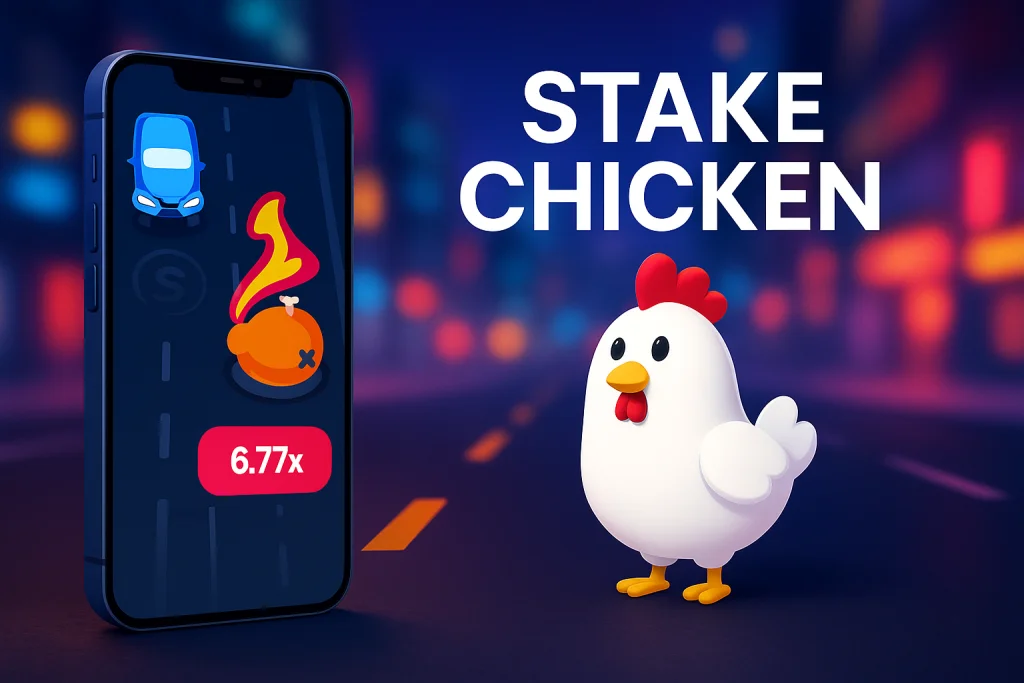
Stake Chicken Mobile UK
Same wild multipliers. Same fearless chicken. Just in your pocket this time.
Stake Chicken runs directly in your mobile browser – no app to download, no separate “mobile version”, just the full crash-style arcade experience on iOS and Android.
Stake Chicken on Mobile at a Glance
Stake Chicken Mobile is the same crash-style arcade game UK players know from desktop, reflowed for smaller screens. The chicken, the traffic, the rising multipliers and the four difficulty modes all behave exactly the same – you are just tapping instead of clicking.
- 📱 Plays in your mobile browser – no app required.
- 🐔 Same volatility slider: Easy, Medium, Hard, Expert.
- ⚡ Fast rounds that fit into a commute or a quick break.
- 🎮 Touch-friendly controls for one-handed play.
- 🔐 Same secure account, balance and settings as desktop.
| 📲 Platforms: iOS, Android, tablets |
| 🌐 Technology: HTML5 in browser |
| ⬇️ App Download: Not required |
| 🎯 Game Version: Same as desktop |
| 🎧 Sound: Optional & easily muted |
| 🧮 RTP & Maths: Identical across all devices |
Why Stake Chicken Works So Well on Mobile
Some casino games feel cramped or awkward once they are squeezed onto a phone screen. Stake Chicken is the opposite. Its single lane, single character and clear multipliers look like they were designed for mobile first and desktop second. That is why so many UK players now prefer to cross the road with the chicken on their phone rather than a laptop.
Play Anywhere, Any Time
Stake Chicken fits into the gaps of your day. A couple of quick rounds in the kitchen, a short session on the sofa, a few jumps while you are waiting for a train – you do not need to sit down at a desk or boot up a laptop.
Built for Thumbs
The buttons for betting, jumping and cashing out sit in one line under the action, so you can play comfortably with one hand. There are no tiny menus to hunt through and no fiddly controls that get in the way when the multiplier spikes.
Short, Sharp Sessions
Rounds resolve in seconds, which feels even more natural on mobile. Stake Chicken is ideal if you prefer quick bursts of action rather than long slot sessions with drawn-out bonus rounds and unskippable animations.
How to Play Stake Chicken on Your Phone
You do not need a special app or a separate mobile account. If you can open a website, you can play Stake Chicken on your mobile. Here is a simple step-by-step guide for UK players.
Step 1 – Open Stake in Your Browser
Launch your preferred mobile browser (Chrome, Safari, Firefox or Edge) and head to Stake via your usual casino link. Make sure you are connected through a secure network, especially if you are logging in or managing your balance.
Step 2 – Log In or Create an Account
Sign in with your existing Stake credentials. If you are new, complete the registration form on mobile – it is short and optimised for touchscreen input. Your balance and settings will sync automatically between devices.
Step 3 – Find Stake Chicken
Use the search bar or navigate to the Stake Originals section, then tap on Stake Chicken. The game loads directly inside the browser without any additional downloads or plug-ins.
Step 4 – Rotate and Adjust
Most players prefer landscape mode so the road and tiles have more horizontal space. You can also tweak volume, brightness and whether you want to play with one or two hands before placing your first bet.
Step 5 – Place Your Bet and Play
Set your stake, pick a difficulty (Easy to Expert), tap to start the round and use your thumb to control each jump and cash-out. The mechanics are identical to desktop, so there is nothing new to learn if you have already played on a bigger screen.
Devices and Compatibility
Stake Chicken Mobile does not care whether you are team iPhone, Android or tablet – it cares that your browser is modern and your connection is stable. Because the game runs in HTML5, you always get the latest version without visiting an app store.
iOS (iPhone & iPad)
Open Stake in Safari or another iOS browser, log in and launch Stake Chicken. The game adapts naturally to both iPhone and iPad screens, with smooth animations and crisp graphics.
Tip: add the site to your home screen for “almost app-like” access in one tap.
Android Phones & Tablets
Chrome is the most common choice for Android users, but other modern browsers work well too. Controls, multipliers and performance match what you would expect from the desktop version.
Tip: stick to up-to-date browsers from trusted providers for the best security and stability.
Laptops & Desktops
If you ever want a bigger view, you can swap back to desktop instantly. Your account, balance, history and preferences stay exactly the same when you move between devices.
There is no “mobile-only” version – Stake Chicken is one unified game that simply resizes itself to fit the screen in front of you.
Mobile Tips for UK Players
The game is the same on every screen, but the way you use it on mobile can make a big difference. These small tweaks help keep sessions fun, controlled and comfortable when you are playing on your phone.
- Use headphones or mute when needed – you do not need background noise giving away what you are doing.
- Avoid playing when you are rushing or distracted; Stake Chicken is fast enough without splitting your attention.
- Set a rough time limit before you start. It is easy for “five minutes” to become an hour when rounds are this quick.
- Use lower stakes on mobile if you tend to play more rounds than on desktop.
- Stick to secure Wi-Fi or trusted mobile data, especially when depositing or withdrawing.
- Play in landscape mode if you want clearer visibility on tiles and incoming traffic.
- Consider enabling any responsible gambling tools offered by your casino, even if you mainly play on mobile.
- Remember: the chicken is there to entertain you, not to fix money problems.
Pros and Cons of Playing Stake Chicken on Mobile
Stake Chicken feels natural on mobile, but the same qualities that make it exciting can also be risky if you are not paying attention. Here is a clear look at the upsides and the trade-offs of playing on your phone.
What Works Well on Mobile ✅
- ✔ True pick-up-and-play format – a full session can fit into a short break.
- ✔ One-handed controls – perfect when you are on the sofa or travelling.
- ✔ Same RTP and volatility – you are not getting a watered-down version.
- ✔ No app clutter – nothing extra sitting on your home screen.
- ✔ Smooth performance – lightweight visuals keep the game responsive.
What to Watch Out For ❌
- ✘ Easy to overplay – short mobile sessions can quietly stack up.
- ✘ Smaller screen – big swings can feel more intense when your face is close to the action.
- ✘ Public spaces – playing on the go means extra care with privacy and security.
- ✘ Battery & data use – long sessions will naturally use more of both.
Stake Chicken Mobile FAQ
Do I need to download a Stake Chicken app?
No. Stake Chicken is played directly in your mobile browser using HTML5. You visit the casino site, log in and launch the game from there – no separate app and no extra files taking up storage.
Is the RTP the same on mobile and desktop?
Yes. The maths model, volatility and theoretical return to player are identical across devices. You are playing the same game, not a cut-down mobile clone with different odds.
Can I switch between phone and laptop mid-session?
As long as your account is logged in, you can move between devices whenever you like. Rounds are self-contained, so you simply finish one session on mobile and continue later on desktop with the same balance and history.
Is it safe to play Stake Chicken on public Wi-Fi?
Technically the game will run, but it is better to use trusted networks or mobile data, especially when depositing or withdrawing. Public Wi-Fi can be less secure, so treat it carefully and avoid managing finances on open networks.
Does mobile play affect responsible gambling tools?
No. Deposit limits, reality checks, time-outs and other responsible gambling settings are managed at account level. They will apply in the same way whether you are playing Stake Chicken on mobile, desktop or tablet.
Ready to Cross the Road on Mobile?
Stake Chicken Mobile keeps the core of the game exactly where it should be: one reckless chicken, one busy road and multipliers that demand split-second decisions. If you prefer fast, focused crash-style gameplay that fits around your day, playing on your phone is hard to beat – just keep your limits in place while the feathers fly.

Responsible gambling means staying aware of your limits and treating gaming purely as entertainment. Set clear boundaries for how much time and money you spend, and avoid chasing losses. Understanding the odds and recognising the signs of unhealthy play can help you maintain balance. If gambling stops feeling enjoyable or begins affecting your wellbeing, take a break or seek professional support.
Address: 14 Westwood Terrace, Bristol, BS3 4NH, United Kingdom